Cooler Master Storm Inferno tested

Review: A perfect mouse for MMORPG gamers
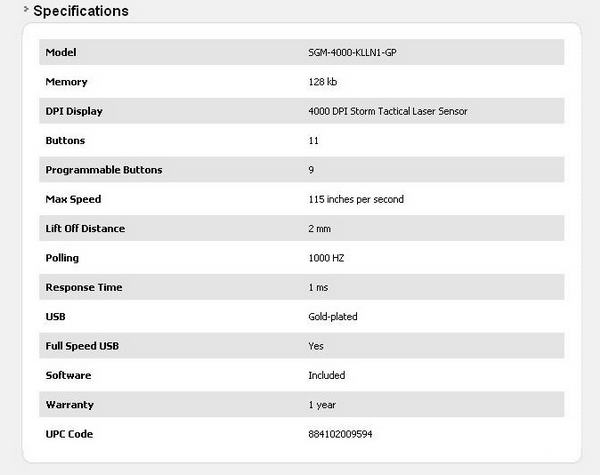
Less than a year after launching its first gaming mouse, CoolerMaster added another one to its offer, this time aimed at MMO gamers. The mouse is dubbed Inferno by the team that’s responsible for CoolerMaster’s peripherals – CM Storm. The mouse goes by the model name SGM-4000-KLLN1-GP and has attracted quite a lot of attention at CeBit 2010, where it was first presented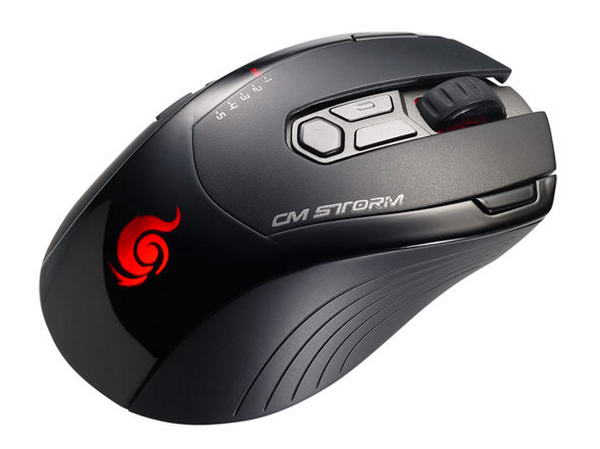
CM Storm Inferno comes in a compact and tough box with a cardboard cover hiding the plastic window. Naturally, packaging plays a significant part in attracting the customers and CoolerMaster made sure that Inferno screams “buy me” right off the shelf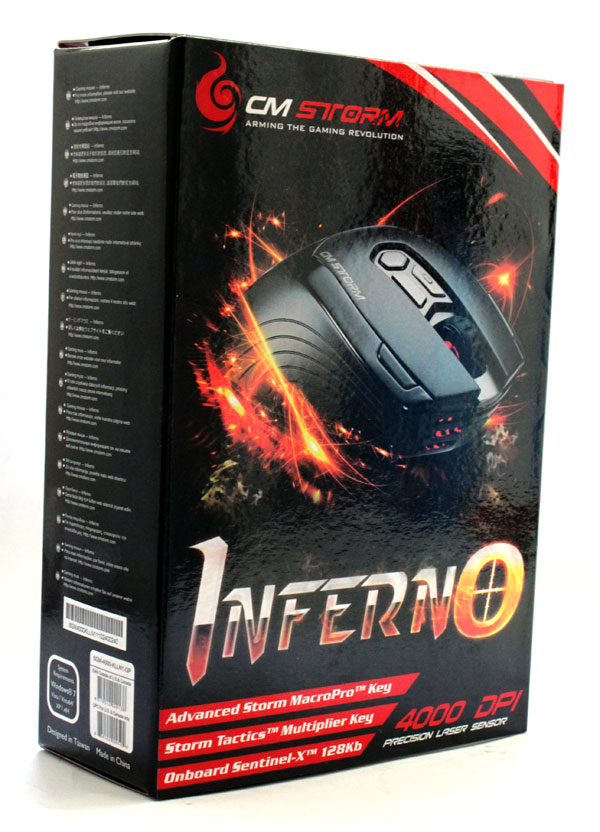
We flipped the cover and immediately became impatient to check out just what it offers, and judging by the picture you can’t blame us. 11 keys is just one of many features that this mouse packs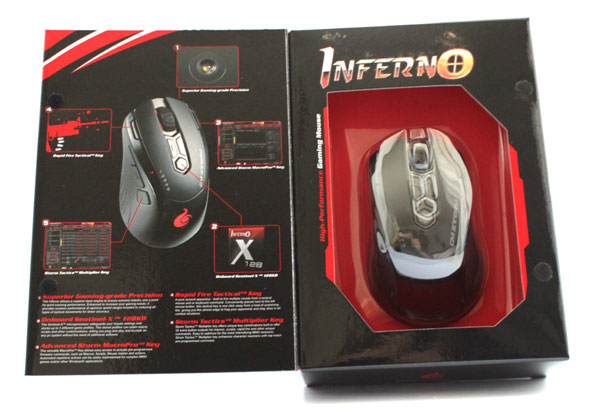
Full product specs can, as usual, be found on the back of the box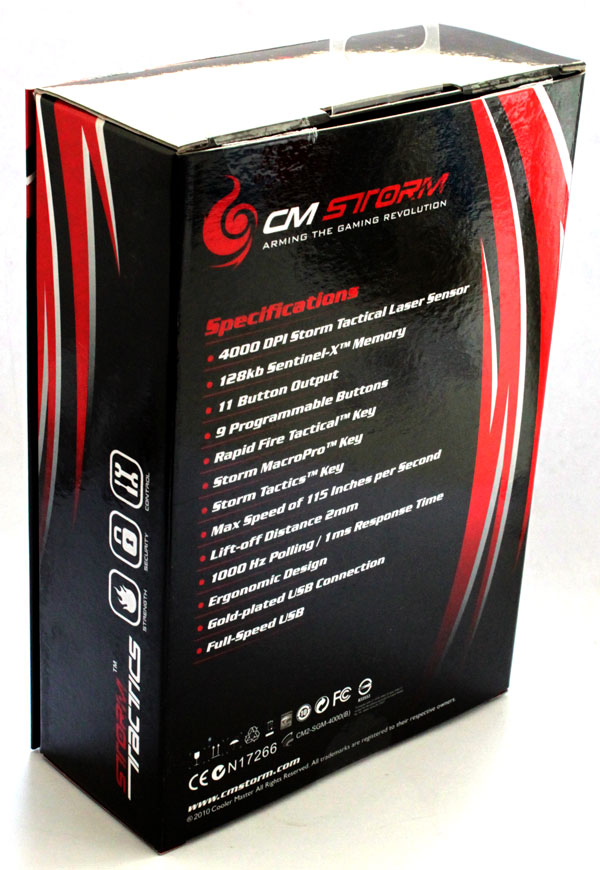
CM Storm Inferno comes with an extravagant gamer design and is designed and built with pure comfort in mind. Namely, the mouse has no rough edges that might prevent you from playing really long sessions
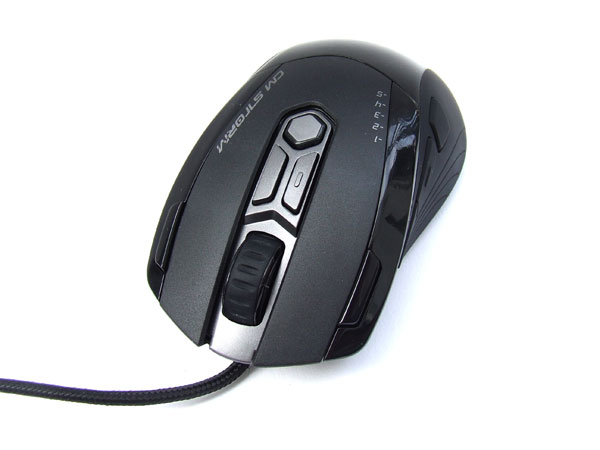
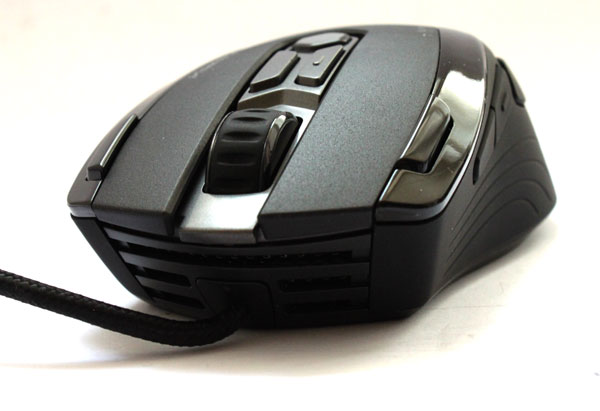
Unlike its predecessor, the Sentinel Advance, our today’s guest is entirely made of plastic. You may remember that Sentinel Advance had a few metal components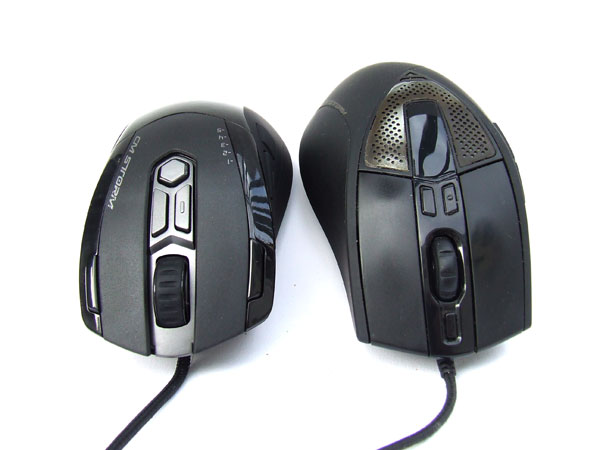
The mouse has plenty of details that will catch your eye and feel good in the process – smooth plastic on the back, rougher plastic for main keys and rubber coated sides
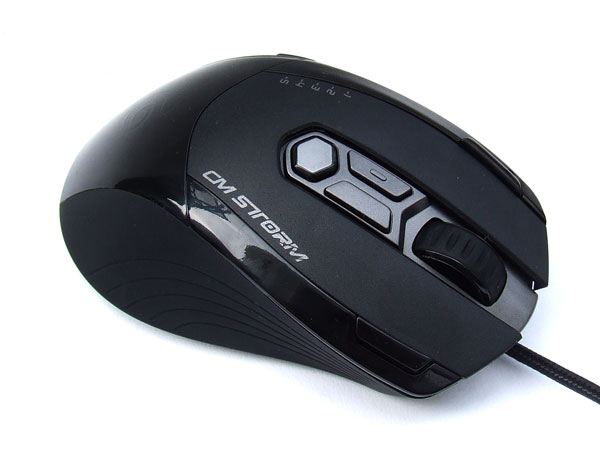
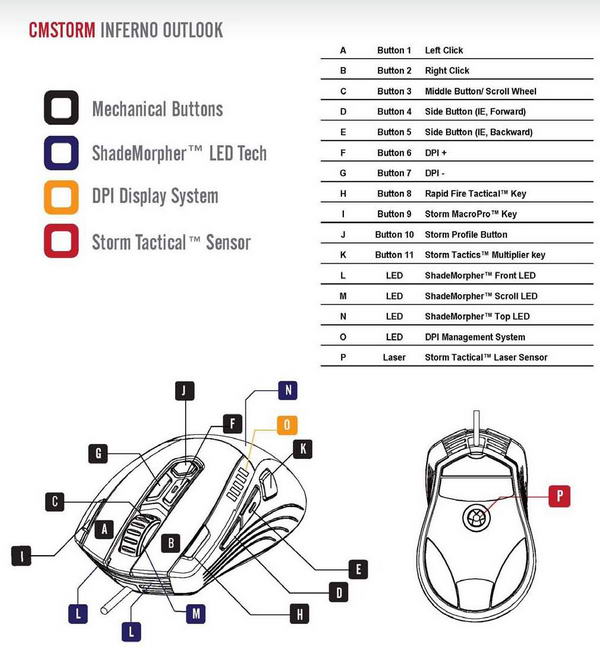
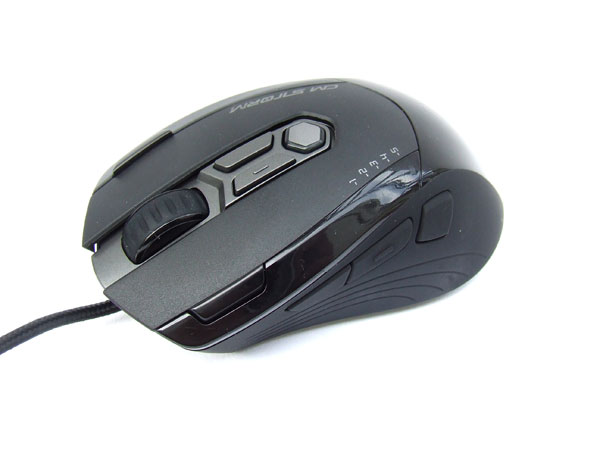
Inferno boasts 11 keys, nine of which are entirely programmable for you to set how you see fit. Eight of these are on the upper side of the mouse
The left and right keys are standard and their mechanics is pretty good. Outer edges of the mouse, right next to the main keys, hold another two keys, albeit a bit smaller. These are excellently positioned as they’re easy to reach with the tips of your fingers, but not easy enough for accidental hit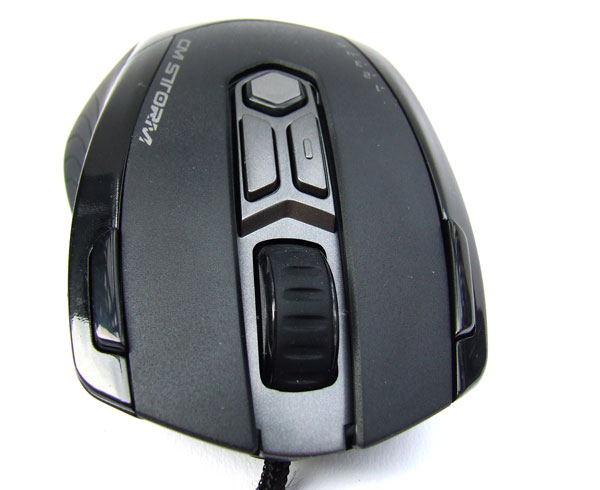
The scroll wheel is pretty thick, thick enough to stand in for a flat tire. Jokes aside, this comes in pretty handy as it feels really comfortable
Above the wheel you’ll find three keys – the two vertical ones are for switching resolution on the fly and a hexagonal one (Onboard Sentinel X128kb) for profile switching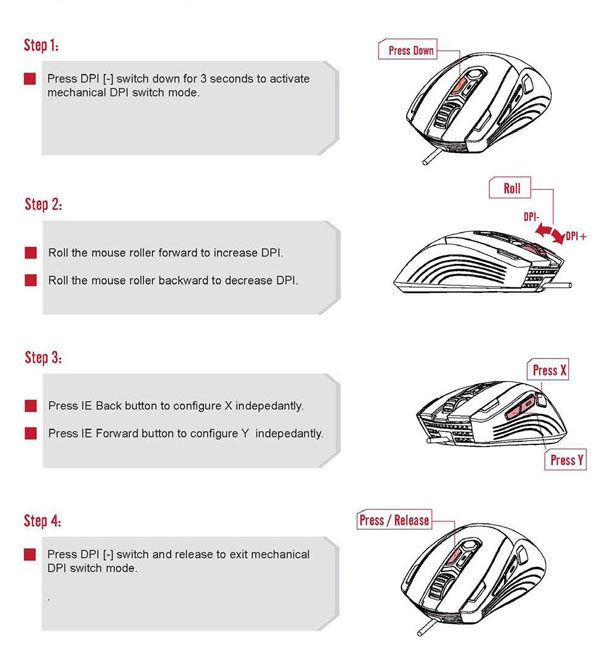
CM Software is the place for profile control and it will hold up to 3 profiles. Of course, there’s the default profile as well which can be switched to if your custom settings aren’t working out for you the way you thought they would
The mouse has 128kb of internal memory that holds profiles and macros, together with scripts and configuration files. This means that you won’t need drivers and setting up when switching computers or playing one someone else’s rig, as the mouse has everything it needs inside – plug it in and play away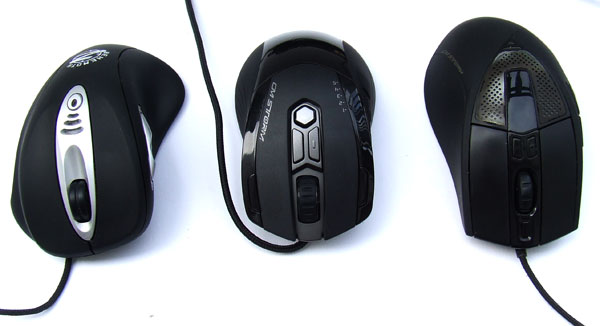
The remaining three keys are on the left side of the mouse. Two of these are almost joined together and are for browsing control (forward-back). The third key is “Storm Tactics Multiplier Key” and serves as shift or ctrl keys – you can use it to assign additional functions to existing keys. Unfortunately, while this is a great idea, it gets pretty complicated in practice especially if you’re aiming to assign additional functions to top keys
The front side of the mouse holds a red LED lamp hiding behind perforated plastic. We must admit it gives a really nice effect, especially when the lights are off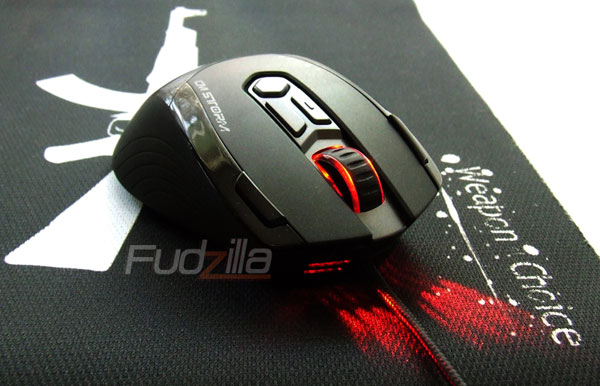
The back of the mouse has a CM Storm logo with another red LED lamp hiding below. Naturally, when you turn the mouse on, it glows red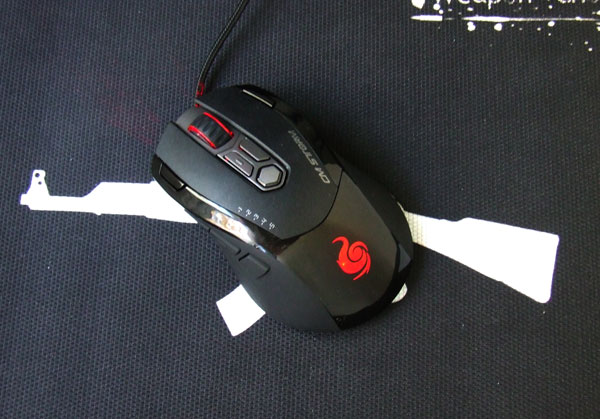
The bottom of the mouse is pretty simple. In the center is the double laser (maximum 4000DPI), which CM calls “Storm Tactical Laser Sensor”. To get that ultra smooth glide, CM used three large Teflon feet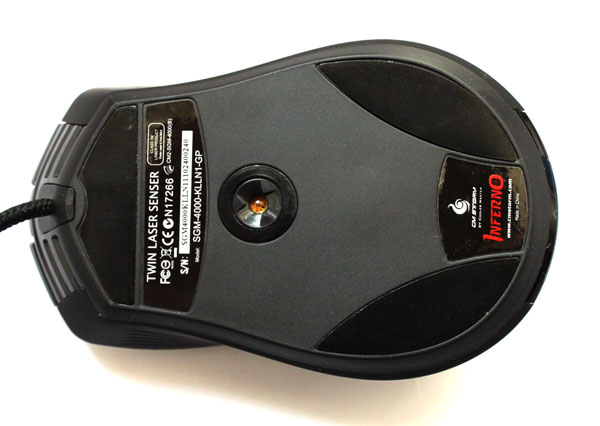
Inferno has a 2 meter cable coated by synthetic fabric and the USB connector is plated with 24-carat gold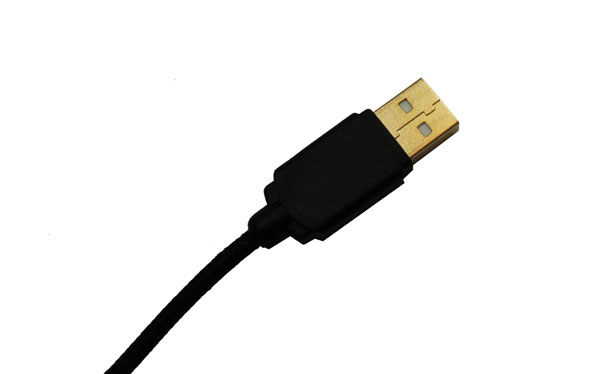
CM Storm Tactic Software has plenty of useful options – independent X and Y axis DPI setting, game profiles, RapidFire, macros, scripts, and many more
The mouse has 128kb of built in memory and can hold DPI settings entirely in hardware, thus eliminating the need for installing the mouse every time you’re gaming on someone else’s computer. However, that’s not all
CM Storm Tactic software can be ran from the CD as well as installed on your computer. The interface holds 6 tabs and is pretty intuitive
The picture below shows Main Control, which is the default start page. You can use this menu to set up keys, DPI settings as well as USB report rate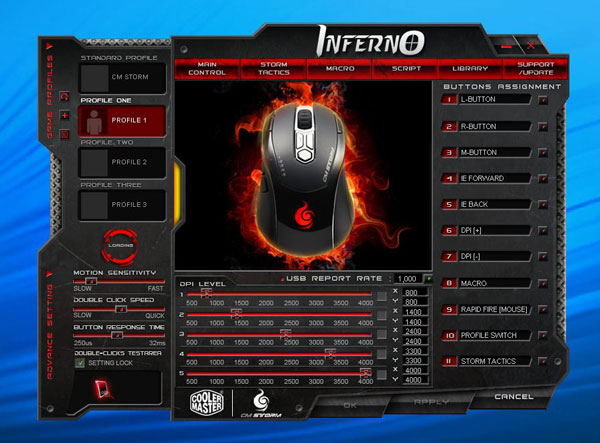
The next window is Storm Tactics, meaning that this is where you set up the auxiliary key on the left. We’ve already mentioned that this key is used as shift or ctrl key and can be used for alternative functions on all keys except for the two main ones
At the bottom of this tab you can set up scroll-wheel speed. You can also choose between 4 different color schemes on the mouse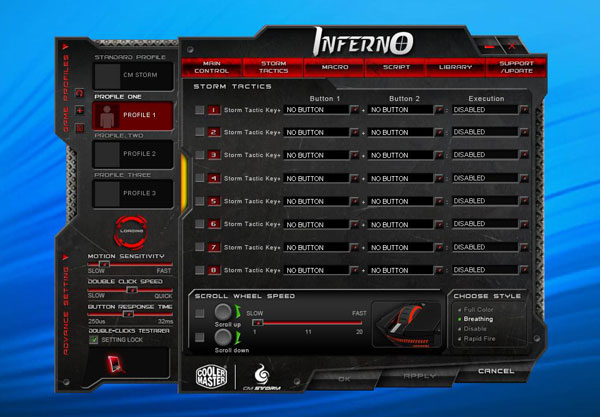
The third and fourth tabs are reserved for macro commands and scripts. All macros and scripts can be saved both on the mouse and on your HDD. You can then organize them the way you see fit in the fifth tab – Library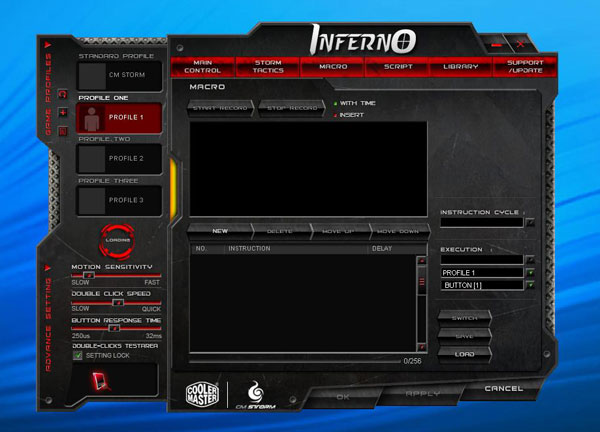
The last window is for technical support and updates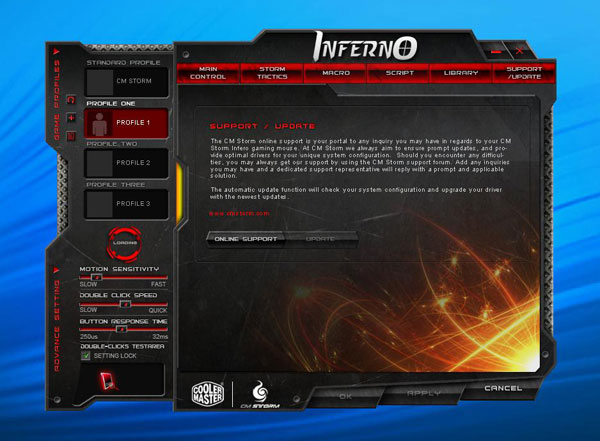
Naturally, there is only one certain way of testing the mouse – using it in office programs, photoshop and other everyday programs. Note however that these tests tend to be subjective as not all of us have same sized hands, usage preferences and such. Furthermore, some prefer heavier mice whereas others like them light, but these tests should be enough to give you a general idea
We chose Warhammer Online, Runes Of Magic and Counter Strike Source for our test games. We used a few different pads, such as CM Storm FPS Tactics DC, CM Storm Weapon of Choice and my pretty old but favorite Func pad
I must admit that Inferno felt really god despite the fact that it’s smaller than my hand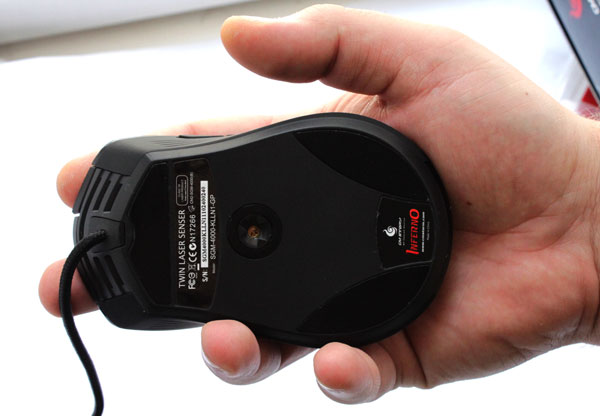
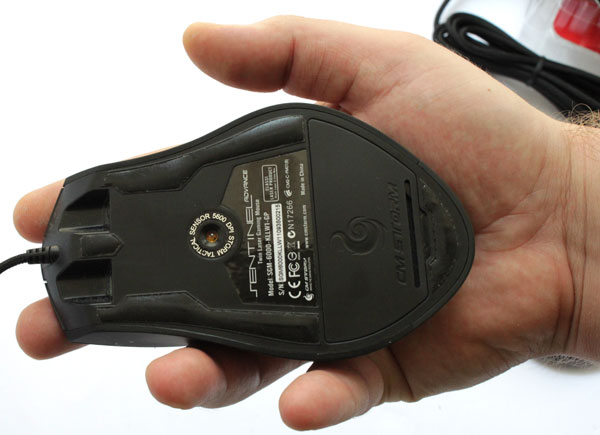
I was pretty excited by the fact that keys can be programmed to run plenty of functions, so I cut keyboard usage to bare minimum. The mouse is excellent when you assign various aura, buff and fast heal keys, but it will take some time for you to get used to the new layout. This is even more true when using the Storm Tactics key, which provides secondary functions to keys, but hardcore gamers will definitely love it
Inferno isn’t without shortcomings, though. The first problem we’ve found is the fact that this mouse is designed for right handed users only. The second one is the fact that it comes without a weight system, and pro gamers might find this to be a severe downside. The mouse is pretty light and a slight tug on the cable will send it flying but this will be more evident in FPS gaming, where you need clinical precision. However, Inferno is designed to please MMO gamers, rather than FPS ones, so this might not be much of an issue.
Everyday work is a breeze with this mouse as it’s comfortable and won’t make your hand sore if you’re working too long, too hard
